
Ergonomics and Work Design
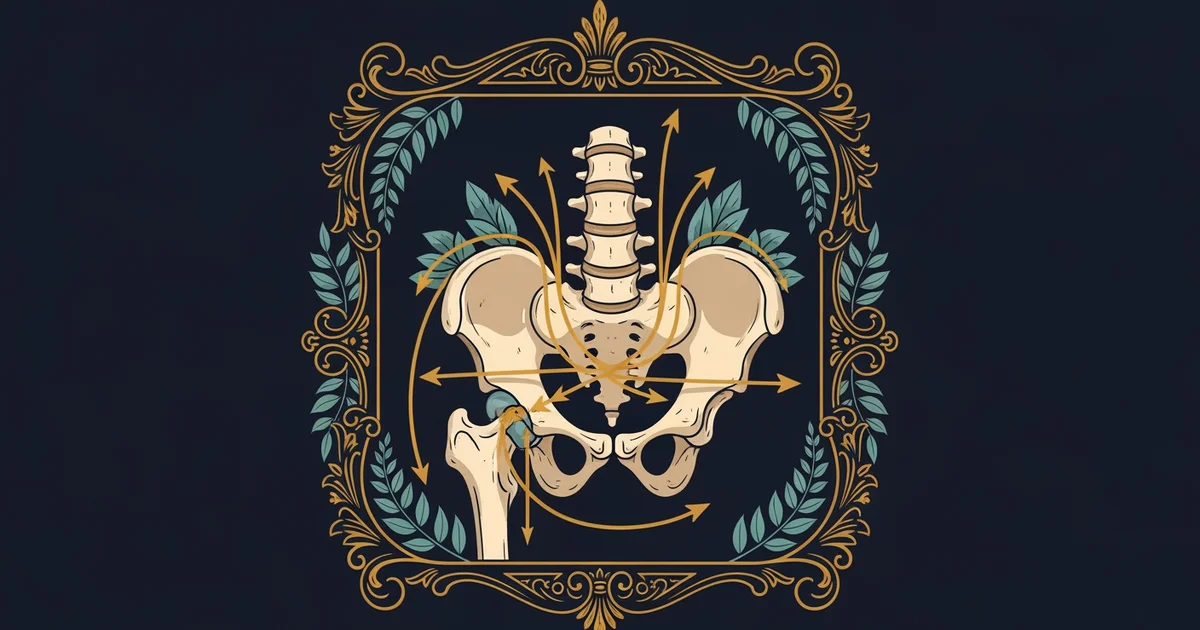
When a software engineer at a major tech firm spends ten hours typing, they often feel a sharp pain in their wrists and neck by the evening. This physical exhaustion acts as a direct consequence of poor workstation design, where the body struggles against the rigid geometry of a desk that ignores biological limits. This scenario serves as a practical application of the force distribution principles discussed in Station 12, showing how static postures create repetitive stress on spinal structures. By adjusting the environment to fit the human frame rather than forcing the frame to fit the furniture, we reduce the total mechanical load on muscles and joints.
Optimizing Workstation Geometry
To minimize physical strain, we must first analyze how desk height affects the natural curvature of the spine. When a chair is too low, the hips drop below the knees, causing the pelvis to tilt backward and forcing the lower back into a rounded, slumped position. This posture increases the pressure on the intervertebral discs, which act as shock absorbers for the entire upper body. By raising the chair until the hips sit slightly higher than the knees, the spine maintains its natural inward curve, known as the lumbar lordosis. This alignment shifts the weight of the torso directly over the pelvis, reducing the need for back muscles to work constantly against gravity.
Key term: Ergonomics — the scientific study of designing equipment and devices that fit the human body to improve efficiency and reduce injury risk.
Maintaining a neutral posture allows the body to function like a well-balanced suspension bridge, where tension is distributed evenly across all supporting cables. If one cable is pulled too tight or left too loose, the entire structure develops stress points that lead to premature failure. In a human workstation, these stress points manifest as muscle fatigue or joint inflammation. Proper alignment ensures that no single muscle group carries the entire load of the head and shoulders for an extended period. This balance remains critical because the human body evolved for movement, not for remaining in a fixed position for eight hours.
Managing Musculoskeletal Loads
Beyond chair height, the placement of peripheral tools like keyboards and monitors dictates the overall success of a workstation setup. If a keyboard sits too high, the shoulders must remain elevated, which creates tension in the trapezius muscles and leads to headaches. If a monitor sits too low, the neck must flex forward, multiplying the effective weight the cervical spine must support. We can categorize the ideal placement of these items based on their impact on the body to ensure that the user remains within safe operational limits.
| Equipment Type | Optimal Placement | Primary Benefit |
|---|---|---|
| Primary Monitor | Top third at eye level | Reduces neck flexion |
| Keyboard | Elbows at 90 degrees | Prevents wrist strain |
| Mouse | Close to keyboard | Minimizes shoulder reach |
Following these guidelines helps prevent the cumulative trauma that occurs when small, repetitive movements are performed in an awkward position. When the elbows rest at a ninety-degree angle, the forearm muscles remain in a relaxed state, which prevents the tendons in the wrist from becoming inflamed. Keeping the mouse close to the keyboard prevents the user from reaching out, which keeps the shoulder joint centered in its socket. These adjustments are not merely for comfort, as they represent a fundamental application of physics to human health by reducing the torque applied to joints during daily tasks.
When we consider the total load on the body, we must also account for the frequency of movement throughout the day. Even with an ideal workstation, staying in one position for too long causes the muscles to become stiff and reduces blood flow to the tissues. Taking regular breaks to stretch or walk helps reset the musculoskeletal system and allows the discs in the spine to rehydrate. This cycle of activity and rest creates a dynamic equilibrium that prevents the onset of chronic pain. By viewing the workstation as a physical system, we can design environments that sustain human performance over long periods without causing long-term damage.
Designing a workstation requires aligning furniture geometry with natural human anatomy to ensure that mechanical stress remains distributed across the skeletal system rather than concentrated on soft tissues.
But this biomechanical model faces significant challenges when workers must operate in non-standard environments like mobile offices or high-intensity industrial assembly lines.